The 3 best browser extensions to protect your privacy (updated for 2019)

When it comes to your privacy, there’s no such thing as being “too prepared.” That’s why ExpressVPN compiled a list of our favorite extensions for boosting your browser’s privacy and security. The best part? They’re all FREE!
Ad blockers
Update on November 20, 2023: ExpressVPN now offers an ad blocker as part of its apps—at no additional cost. Just toggle on the feature and turn on the VPN to block most display ads!
Take control of your browsing experience with a good ad blocker. Ad blockers prevent pesky popups and widgets from sending your data to advertisers. While the ad-blocker debate rages on, ExpressVPN believes you have the right to decide which ads to block and which ads to allow. Ad blockers let you do just that!
Our #1 choice: uBlock Origin
Install from Chrome web store
Install as Add-on to Firefox
Install as Add-on to Opera
With dozens of free ad blockers out there, what makes uBlock Origin so special? For starters, it uses less memory than the others, so it doesn’t slow down your browsing experience.
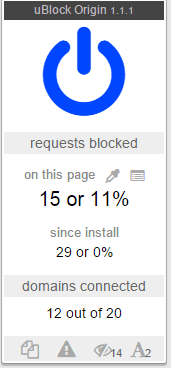
It’s also been found to effectively block more ads than any other ad blocker. uBlock Origin even lets you create personalized lists, giving you more control over what ads to block and what ads to allow.
Here’s an example of average load times on Chrome using various ad blockers.
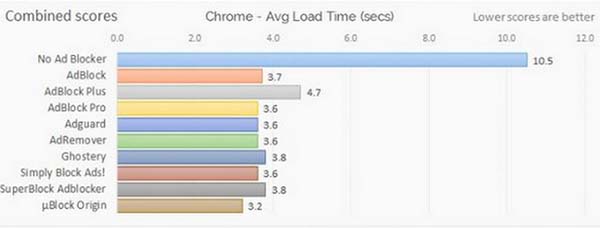
As you can see, uBlock Origin is the clear winner.
Runner-up: Adblock Plus
Install from Chrome web store
Install as Add-on to Firefox
Install as Add-on to Opera
Oh, Adblock Plus, how we used to love thee.
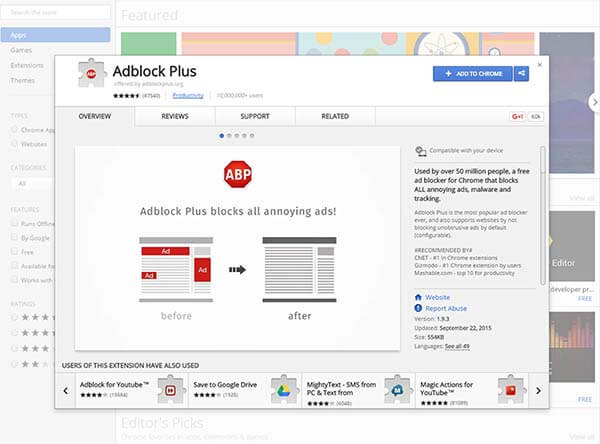
Until recently, Adblock Plus was our go-to ad blocker. While it takes up a bit more space than uBlock Origin, it performed just as well.
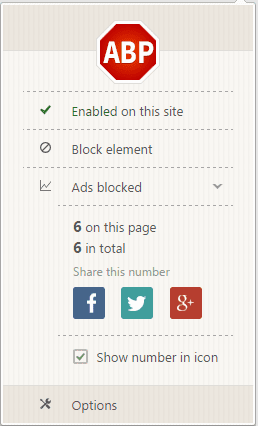
Unfortunately, Adblock Plus has recently come under fire for letting certain ads pass in exchange for money. Cue the sad trombone music. What a letdown.

It goes without saying that uBlock Origin wins out in this category.
Anti-tracking extensions
Anti-tracking extensions protect your online anonymity by preventing your browsing from being tracked.
Many advertisers use cookies to track where you go and what you do on the Web—typically without your consent. Unlike ad blockers, anti-tracking extensions block cookies and protect you from tracking and malvertising. They help keep you invisible in the eyes of third-party advertisers.
With the right anti-tracking extension, you can keep your browsing habits away from third parties by stopping their tracking cookies dead in their tracks.
Our #1 choice: Privacy Badger
Install from Chrome web store
Install as Add-on to Firefox
Install as Add-on to Opera
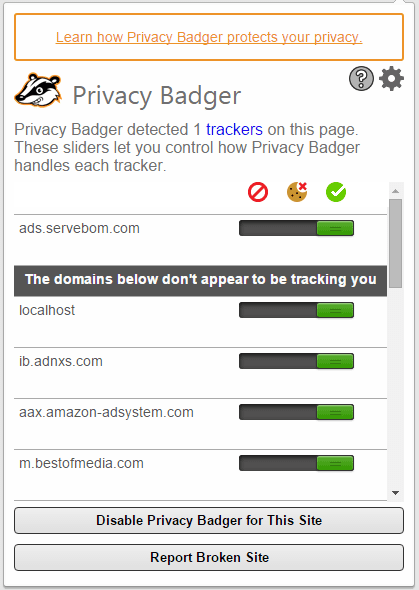
Maybe we’re a little biased, but our pick for the best anti-tracking software is the Electronic Frontier Foundation’s own Privacy Badger.
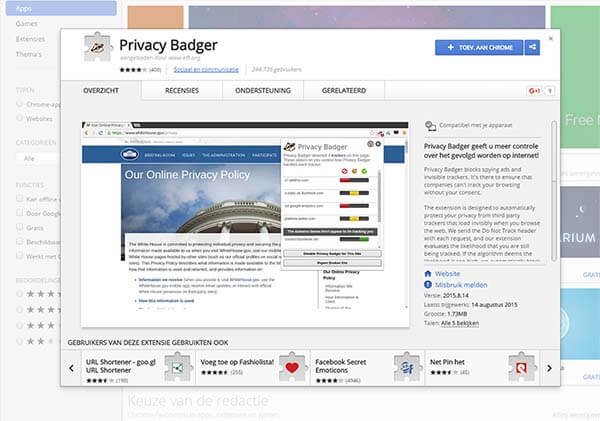
Privacy Badger keeps an eye out for suspicious third parties tracking you while you browse different websites, then jumps to your defense by blocking their tracking cookies. The little badger is a good buddy to have by your side while you surf the internet.
Runner-up: Ghostery
Install from Chrome web store
Install as Add-on to Firefox
Install as Add-on to Opera
Install from Microsoft store
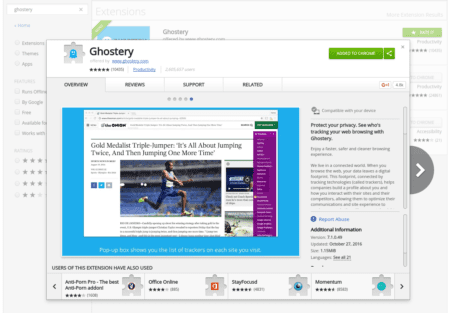
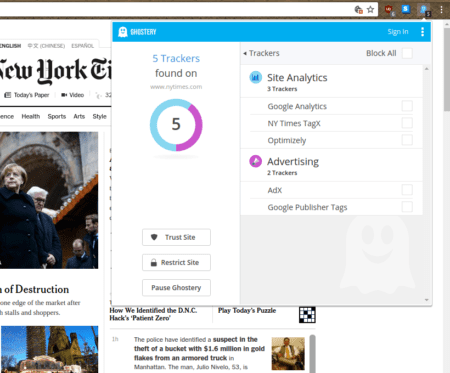
Ghostery works similarly to Privacy Badger but comes with a slightly better interface. There's also an option to share your data with Ghostery to improve your experience. However, Ghostery doesn’t block any trackers by default and only lets you inspect them from the interface, where you can decide what to do with them.
Site-securing extensions
After arming yourself with ad blockers and anti-tracking extensions, the coup-de-grâce in your privacy setup should be a good site-securing extension.
Secure websites use the HTTPS (Hyper Text Transfer Protocol Secure) protocol. Websites secured by HTTPS encrypt your personal information like your credit card details, personal information, and other sensitive data.
But not all websites are HTTPS-enabled, so take your browsing security into your own hands with a site-securing extension. Here are our top picks!
Our #1 choice: HTTPS Everywhere
Install from Chrome web store
Install as Add-on to Firefox
Install as Add-on to Opera
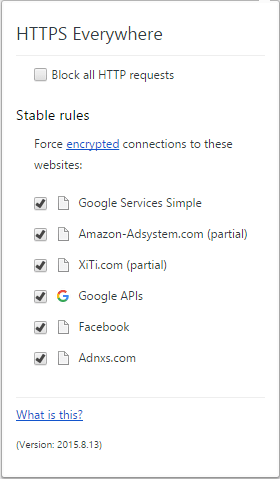
Stop wondering whether or not the website you’re browsing is safe. Use HTTPS Everywhere!
HTTPS Everywhere is the result of a collaborative effort between The Tor Project and the EFF. The plugin automatically rewrites requests to direct you to HTTPS-secured sites. So if your browsing takes you to unsecured areas of a website, HTTPS Everywhere will redirect you to the encrypted HTTPS site and keep your sensitive data from leaking.
ExpressVPN users have an even better way to enjoy the security of HTTPS Everywhere: The ExpressVPN extensions for Chrome and Firefox come with HTTPS Everywhere functionality built in! (Read about the other benefits of the ExpressVPN browser extension below.)
Runner-up: KB SSL Enforcer
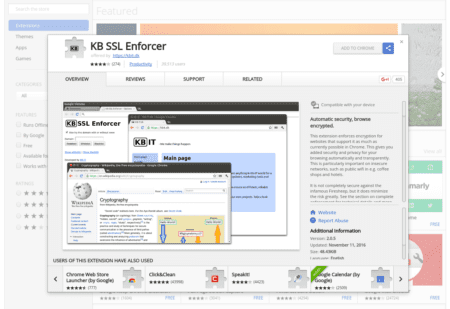
KB SSL Enforcer redirects to the HTTPS version of a website whenever it is available. Because there's no need to manually add rules this sometimes works better than HTTPS Everywhere. However, it might also force you to visit the HTTPS version of the site, even if it's broken.
(Bonus!) Privacy extensions
Our #1 choice: ExpressVPN Browser Extension
Get the ExpressVPN browser extension for Chrome, Firefox, or Edge.
That’s right. Shameless product plug here. But in all seriousness, when it comes to privacy extensions, there’s simply none better than the ExpressVPN browser extension, which allows you to remotely control the ExpressVPN app from your Chrome, Firefox, and Edge browsers. And, with your existing ExpressVPN account, you can take advantage of private, anonymous browsing.
The ExpressVPN browser extension offers seamless integration with the ExpressVPN apps for Mac, Windows, and Linux. Plus, with fan-favorite features like a built-in kill switch, DNS leak protection, WebRTC blocking, location spoofing, HTTPS Everywhere and more, you can browse more safely without having to open your VPN app separately every time you log in.
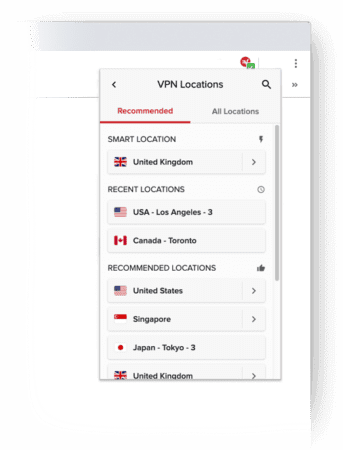
Installation takes seconds, and the interface works just like traditional ExpressVPN apps. To use the ExpressVPN browser extension you’ll need to have ExpressVPN for Mac (Version 7.1 or newer), ExpressVPN for Windows (Version 6.9 or newer), or ExpressVPN for Linux (Version 2.0 or newer).
Hope this helps you! If you have any questions about any of the mentioned software, just leave them in the form of a comment below, and ExpressVPN will get back to you.
Take the first step to protect yourself online. Try ExpressVPN risk-free.
Get ExpressVPN














 Support Center
  FAQ
FAQ  VPN Setup Tutorials



Comments
Excellent article, folks. In this era of privacy concerns, such extensions are indeed a must-have. Thanks, Niraj (Founder at hiverhq.com)
The 3 best browser extensions you recommend are all not available for the Safari browser!!! I'm a convinced user of Express VPN but I would really appreciate it if your blogs would also taking care of all the apple users. I would be happy to receive a respond.
Hi, G, Thank you very much for your feedback. You've given us a great idea for a blog post in the future! I'd like to let you know that Chrome is available for all Apple users, too. You can download it for free here: https://www.google.com/chrome/browser/desktop/index.html Thanks again!
Hi, just to chime in that I would also appreciate a follow-up blog post for us loyal Safari users. Looking forward to it. Happy winter solstice! Peace. Out.
Hi, photis, We hear you! You will be among the first to know when we post it :)
Hello, photis! You asked... we delivered! Here are our recommendations for the best Safari apps and extensions for protecting your privacy: https://blog.expressvpn.com/blog/best-privacy-apps-extensions-for-safari/ Happy. Christmas. :)
Hi, GMR! I wanted to let you know that we have just published our recommendations for the best Safari apps and extensions for protecting your privacy while you surf the web! https://blog.expressvpn.com/blog/best-privacy-apps-extensions-for-safari/ Thanks for commenting on our blog, and happy holidays!
Agreed Niraj. Newbie.
I'm new to Google and Google extensions so this may be a dumb question, but how much data do these extensions use when browsing on your phone?
Hi Diana, Not a whole lot. Also if you use our recommended ad blocker extension, you're cutting the load times to more than half, consuming less data.
Great write-up, thanks for the tips.
I have tried some ad blockers that are not mentioned in this list and they always seem to block Facebook from working correctly.
Are there corresponding mobile apps for Android?
Hey Tim! Excellent question! We're actually planning a blog post on that very subject. Stay tuned!
Close... You really only need two. uBlock and uMatrix. Turn off the lists in uBlock that are on in uMatrix and you have a good start. I run EasyList, EasyPrivacy, Fanboy, Disconnect Malvertising, and Spam404 in uBlock. uMatrix has a learning curve like NoScript does for FF, but it's not bad. With uMatrix you can set HTTPS on a per site basis, so you won't need the 3rd extension. My experience with HTTPS-Everywhere in FF wasn't good. When I closed a Private Browser session CCleaner found their cookies that they left behind. Plus, by using extensions and addons from the same people you can take your uMatrix settings and export them from FF to Chrome and back.
1. using HTTPS is NO GUARANTEE of "safe browsing." This is just a stupid belief. 2. Privacy Badger is still very weak, even now (September 11, 2016)
HTTPS cuts out a number of attack vectors accessible to low key adversaries. HTTPS is no guarantee for anything, but as long as you respect warnings and make sure that it is used, you will make it impossible for a rogue router or curious kid in the coffee shop to sniff your passwords. That's a big win!
You should remove the WOT extension from your list. There was a report aired on German national television that the company was selling the browsing history of its users. Both Firefox & Google removed WOT from their repository or webstore. Perhaps you can look into using McAfee SiteAdvisor or TrustGuard instead.
Hi Eric, thanks for commenting. WOT has been removed and the blog has been updated for 2017.
All great extensions! Definitely there are no guarantees online when it comes to privacy, but doing something is better than doing nothing, so make use of these apps and protect what privacy is left. Best to all, Darren Chaker
In light of recent of events, probably best to stop recommending WOT.
Agreed! The blog has been updated for 2017.
I'm receiving unsolicited calls from numbers with my own area code. They are scammers. I am highly suspicious that this is because I input my phone number on various sites and portals (Amazon, Facebook, the tagline of emails I send, etc. etc.). I've installed Ghostery and HTTPS but I am convinced that there should be a better way for the layman to protect their phone numbers from international scammers on regular browsers. For example, what if a browser add-on was developed so that when inputting one's phone number, information was stored and transferred as the word of the number, rather than the digit? Does an add-on like this exist?
how can i install the ublock origin on my system
You can find the installation links for your system on their Github. Lexie
Brave.com is a fantastic browser that you can use on any operating system. I have been using it for two weeks now and whilst it does have some scaling issues on the screen occassionally it shows you how many trackers it is blocking
Looks like something i can use.
Good – I should certainly say I’m impressed with your blog. I had no trouble navigating through all tabs as well as related info. The site ended up being truly easy to access. Great job..
I'm fairly new to using Chrome extensions myself. I went to add the Ublock Chrome extension and got a warning that it could read my data I sent to websites and also change my privacy settings. What does this mean and should I be concerned? I assume it's OK or you wouldn't be recommending it (let alone the 15K people who gave it a 5 star review!) Please help me understand what's up here.... Thanks!! Sooraj
Hi Sooraj, Excellent question, I'm glad you think about this stuff. When you install an extension (any extension), you allow this extension to control your browser. This is not necessarily bad, because they need to control your browser to be able to block ads (and other malicious code). It makes it necessary to trust the extension before you install it. Ublock Origin is open source software, which means anybody can read the code and see how it works. That is how we know Ublock Origin is not doing anything bad on your machine. Lexie
Thank you for this article! I had way too many privacy-focused extensions running and my browser was overloaded. Good list to help simplify my add ons used.
If you're using Firefox, install "Disable WebRTC", "Pop up plocker for firefox" & "Disconnect". "No Script" is okay, but it breaks too many websites & you have to mess around fixing them, I personally don't like it.
nice
Privacy is the most important factor when we deal with the Internet on our computer or laptop. So the first thing to protect our privacy is to choose a secure web browser. Now add the most used extension that is the Privacy Badger to your Web browser to keep yourself secure from any kind of unauthorised access. There are some more extensions for the Web browsers, that you can find in this above article.
Hi to all, the contents existing at this web page are genuinely remarkable for people knowledge, well, keep up the good work fellows.
the latest version of the chrome browser is not installing in my mac pc, How can I install this browser on my pc?
Hi HP. Alas, we cannot offer support for Chrome. You will have to contact the developers directly.
Advertisements are the most irritating when it comes to browsing. We can make use of the VPNs and some ad blockers if we want to block them permanently. Waiting for more articles like this.
is ghostery have HTTPS everywhere?